


Why Accessibility Matters Legally for Business Websites
- Dec 23, 2025
- 3 min read
Updated: Jan 13
What is Accessibility?
Web accessibility is about removing barriers that prevent people with disabilities from using websites. These barriers might include images without descriptions, videos without captions, or navigation that cannot be used with a keyboard. When websites are inaccessible, they exclude a significant portion of the population.
Legally, this exclusion can violate disability rights laws. Many countries have laws requiring businesses to provide equal access to their services, including online services. Failure to comply can result in legal action.
Key Laws That Affect Website Accessibility
Americans with Disabilities Act (ADA)
In the United States, the ADA requires businesses to provide equal access to goods and services. Courts have increasingly ruled that websites are part of these services. This means websites must be accessible to people with disabilities.
Section 508 of the Rehabilitation Act
This law applies to federal agencies and contractors, requiring their websites to be accessible. It sets technical standards for accessibility.
Web Content Accessibility Guidelines (WCAG)
While not a law, WCAG provides internationally recognized standards for web accessibility. Many legal cases and regulations refer to WCAG as the benchmark for compliance.
Equality Act 2010 (UK)
This act requires businesses to make reasonable adjustments to ensure disabled people can access services, including websites.
Real Legal Consequences for Inaccessible Websites
Businesses have faced lawsuits and penalties for inaccessible websites. For example:
A major retailer was sued because their website did not work with screen readers used by visually impaired users. The court ruled in favor of the plaintiff, forcing the retailer to update their site and pay damages.
A hotel chain faced legal action because their online booking system was not accessible to people with disabilities, violating the ADA.
These cases show that courts take website accessibility seriously and expect businesses to comply.
How Accessibility Protects Your Business
Making your website accessible is not just about avoiding lawsuits. It also protects your business in several ways:
Reduces Legal Risk
Complying with accessibility laws lowers the chance of costly legal battles and fines.
Improves Customer Reach
About 15% of the world’s population lives with some form of disability. An accessible website opens your business to this large group.
Enhances User Experience for Everyone
Accessibility features like clear navigation and readable text benefit all users, including those without disabilities.
Builds Positive Brand Reputation
Showing commitment to inclusion can improve your brand image and customer loyalty.
Practical Steps to Make Your Website Legally Accessible
Businesses can take concrete actions to meet legal accessibility requirements:
Conduct an Accessibility Audit
Start by reviewing your website to identify barriers. Use tools like WAVE or Axe to scan for common issues. Consider hiring experts who specialize in accessibility testing.
Follow WCAG Guidelines
Aim to meet at least WCAG 2.1 Level AA standards. These guidelines cover:
Text alternatives for images
Keyboard navigation support
Sufficient color contrast
Clear and consistent layout
Captions for videos
Train Your Team
Educate your web developers, designers, and content creators about accessibility best practices. This helps prevent new barriers from being introduced.
Use Accessible Design and Development Tools
Choose content management systems and plugins that support accessibility features. Avoid custom code that blocks screen readers or keyboard use.
Provide Accessibility Information
Include an accessibility statement on your website. This shows transparency and provides contact details for users who need assistance.
Checklist for website accessibility compliance
Examples of Accessibility in Action
Alternative Text for Images
Adding descriptive text to images allows screen readers to explain visuals to users who cannot see them.
Keyboard Navigation
Ensuring users can navigate the entire site using only a keyboard helps those who cannot use a mouse.
Video Captions and Transcripts
Providing captions makes video content accessible to deaf or hard-of-hearing users.
Consistent Headings and Structure
Clear headings help screen reader users understand and navigate content easily.
What Happens If You Ignore Accessibility?
Ignoring accessibility can lead to:
Lawsuits and Fines
Courts may order businesses to pay damages and fix accessibility issues.
Loss of Customers
People with disabilities may avoid your site if it is hard to use.
Damage to Reputation
Negative publicity from lawsuits or complaints can harm your brand.
Missed Business Opportunities
Excluding a significant portion of potential customers limits growth.
Moving Forward with Accessibility
Accessibility is a legal requirement and a smart business practice. Start by assessing your current website, then plan improvements based on recognized standards. Keep accessibility in mind for all future updates.
By making your website accessible, you protect your business from legal risks, reach more customers, and demonstrate respect for all users.
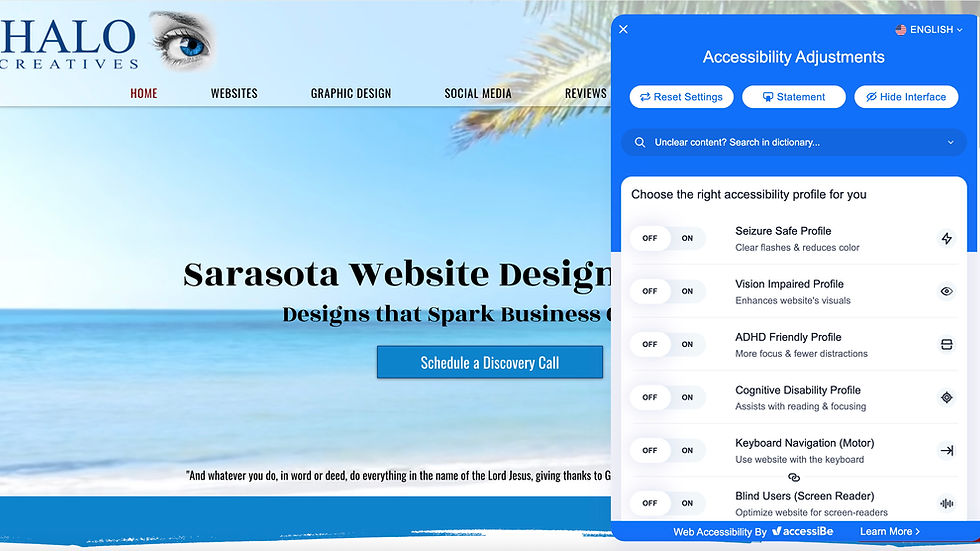
Take action today to ensure your website welcomes everyone. Halo Creatives is here to help and can seamlessly add an accessibility AI-based widget quickly, making your website ADA compliant within 24 hours! Contact Halo Creatives today at 941-220-9722.
Comments